
BrightfernE-Invoicing
E-invoicing for WooCommerce. Turn orders into e-invoices that follow the European standard EN 16931. Every invoice is checked before it leaves, and you can receive e-invoices with it too.
- Free to use
- Pro from €12 per month excl. VAT
- In five languages: NL, EN, FR, DE, PL
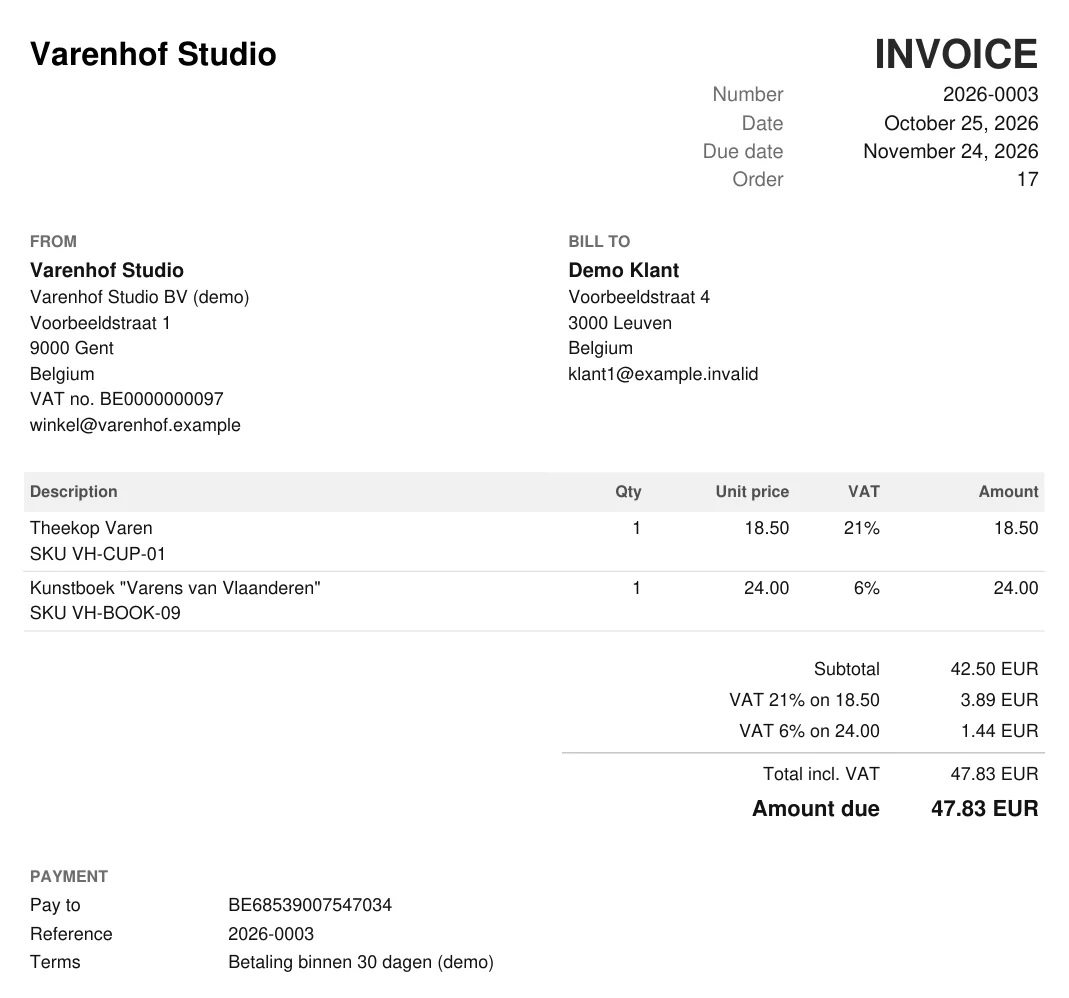
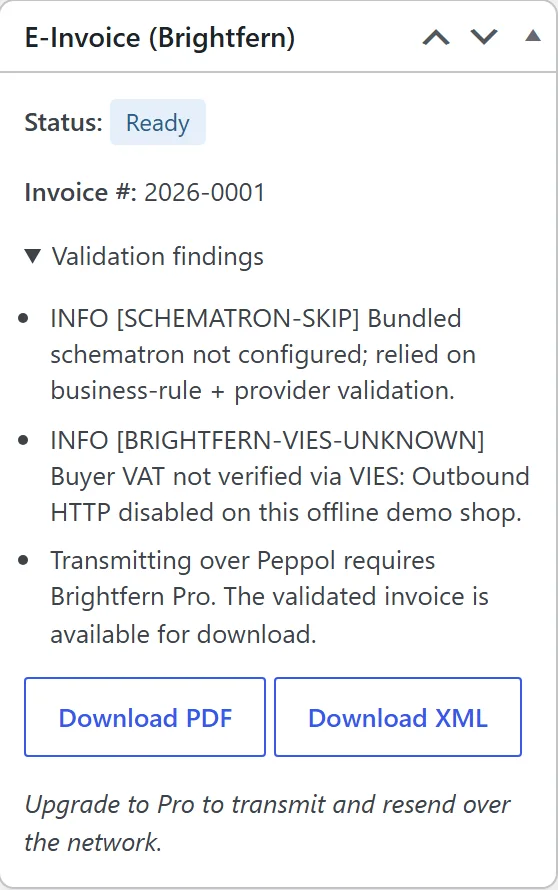
A PDF invoice (fictional demo store Varenhof Studio) and the e-invoice panel on an order in WooCommerce. Screenshots of the free plugin, version 0.2.0, in an offline test store with made-up data.
Four formats, one plugin.
Pick the format your customer's country requires. Credit notes follow automatically from WooCommerce refunds.
The format your customer's country asks for.
Pick a country to see which format the plugin creates, what is free and what is part of Pro.
In the screens you already know.
The plugin works inside your own WooCommerce: on the order, in its own inbox and in the settings.
Something missing? The invoice waits.
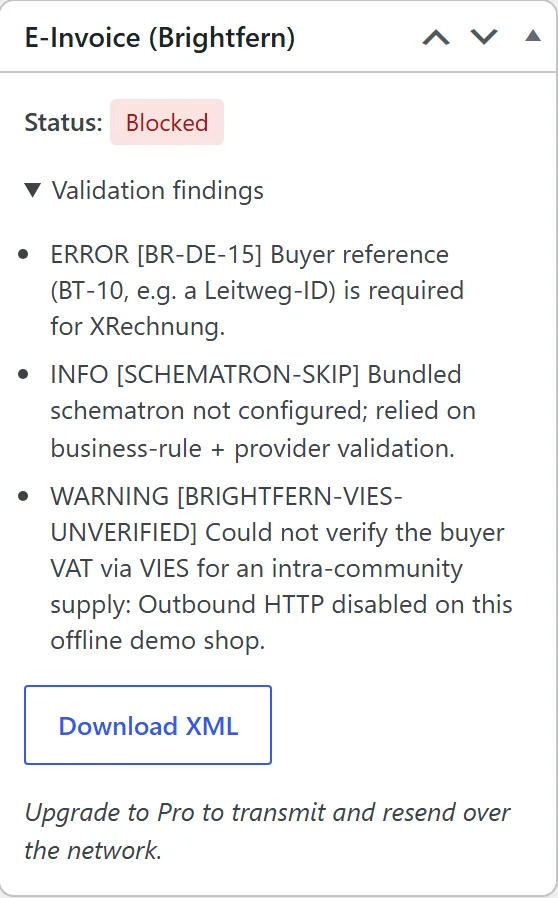
If something the format requires is missing, such as the buyer reference (BT-10) for XRechnung, the check stops the invoice without using up an invoice number. You see which rule failed.
Refunded? The credit note follows.
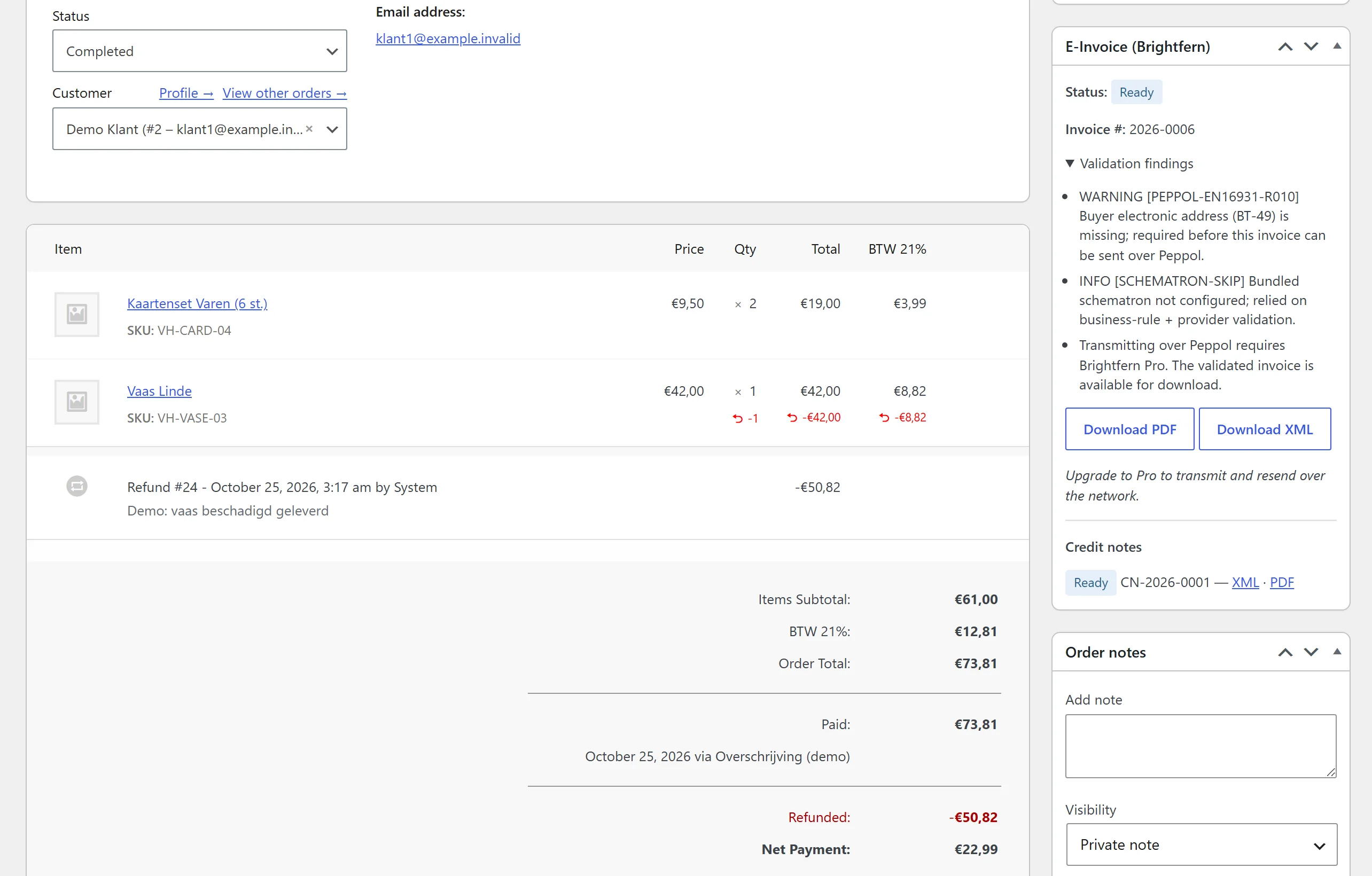
Credit notes follow from refunds in WooCommerce, with their own sequential numbering. You download them as XML and as PDF from the panel on the order.
Receives too, and matches.
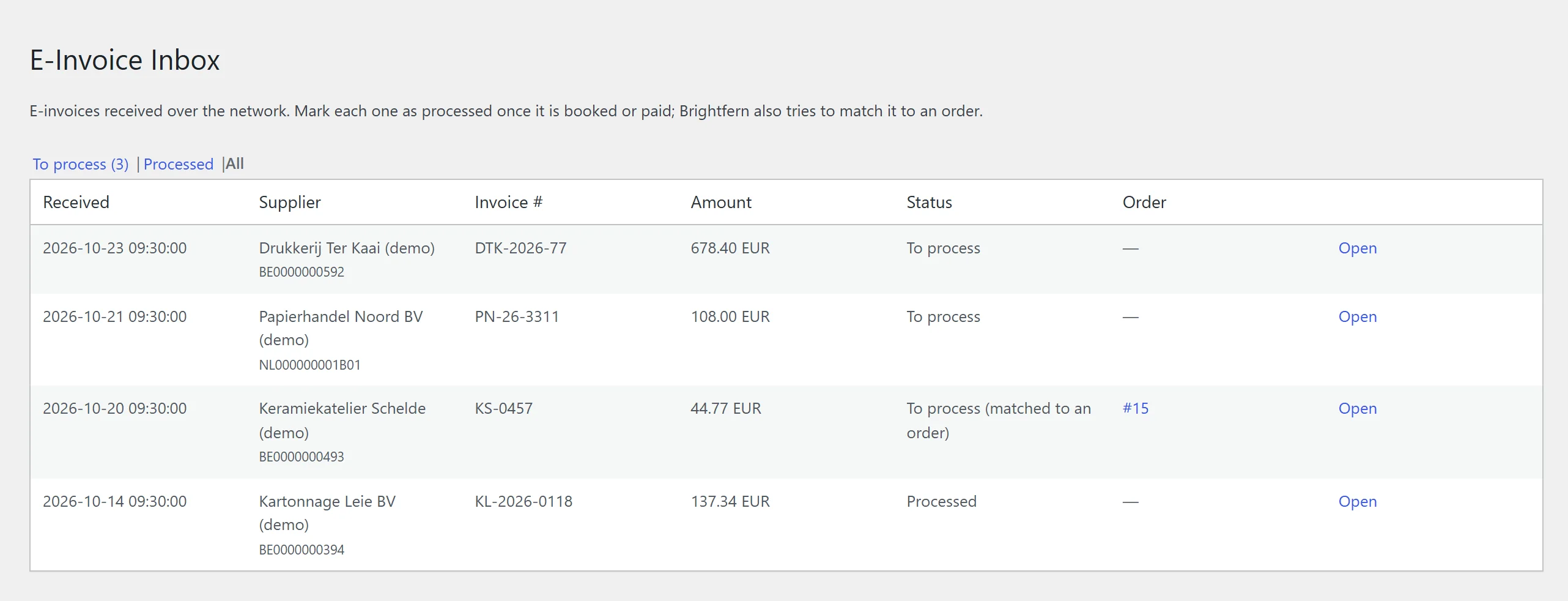
Incoming e-invoices land in an inbox inside WooCommerce and are matched to an order where possible. Receiving is free.
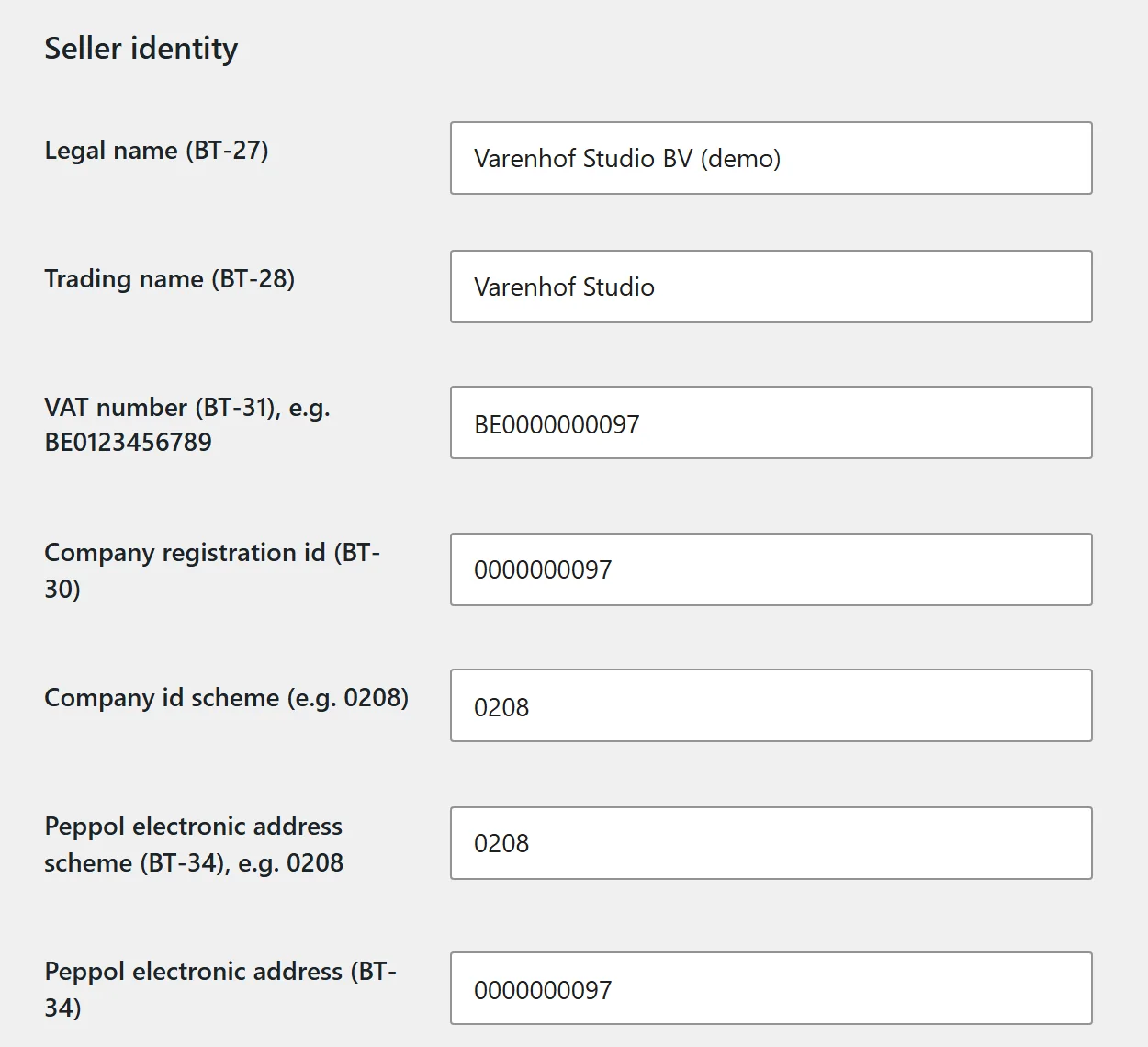
Your business details, with the standard's field codes.
The plugin asks for exactly what EN 16931 needs, such as your legal name (BT-27) and VAT number (BT-31), and puts it on every invoice.
A complete invoice, not just XML.
Correct on the hard cases too: mixed VAT rates, discounts, reverse charge, intra-community supply and rounding to the cent.
Checked before sending
The rules of the format, your customer's VAT number via VIES and whether they can be reached on Peppol. If a format can't express an order, you're told straight away.
Receives, too
Incoming e-invoices land in an inbox inside WooCommerce and are matched to orders where possible. In France, every business must be able to receive e-invoices from September 2026.
Your choice of provider
Connect your own certified Peppol Access Point, such as Storecove or e-invoice.be. No lock-in and no per-document fee from us.
Gap-free numbering
Your own sequential series, a separate one for credit notes and, if you like, a new one each year. A number is only used once the invoice passes the checks.
PDF invoice with your logo
Attached to the emails your customer receives and downloadable under "My account".
Archive and export
Every invoice is written once to a protected archive with a tamper-evident chain. One click gives your accountant a period export: PDF, XML and CSV.
Start free. Send with Pro.
Creating, checking and receiving are free. Only sending from inside WooCommerce is part of Pro.
| Feature | Freefrom WordPress.org, no account needed | €12 per monthPro, or €99 per year, prices excl. VAT |
|---|---|---|
| E-invoices and credit notes in all four formats | Yes | Yes |
| Checks before sending | Yes | Yes |
| Receive incoming e-invoices | Yes | Yes |
| Numbering, PDF invoice, archive and export | Yes | Yes |
| Send over Peppol through your own Access Point | No | Yes |
| File to KSeF | No | Yes |
| Track the status of every transmission | No | Yes |
| Install for free | Install free, upgrade to Pro |
Try Pro for 14 days. A payment method is required up front; after that, a 14-day money-back guarantee applies. Checkout and licences are handled by Freemius. Your Access Point provider's fees are separate.
Requirements and limits.
- Requirements
- WordPress 6.4 or later, WooCommerce and PHP 8.1 or later
- Languages
- Dutch, English, French, German and Polish
- Countries
- Belgium fully supported; the Netherlands (via Peppol), Germany, France and Poland supported
What the plugin is not
Brightfern Labs is not a certified Peppol Access Point itself. The plugin connects to the API of a certified provider of your choice.
For now, you submit Factur-X files for France yourself. Automatic transmission to the French platform is not built yet.
Questions about e-invoicing?
info@brightfernlabs.comNot sure whether the plugin fits your store or your country? Feel free to email us.